
Download MCPatcher – Minecraft mod management, texture pack, patching tool, game customization
Overview
MCPatcher is a specialized utility tool designed to streamline the process of managing modifications for Minecraft, a globally popular sandbox game. As a dedicated mod management and patching solution, MCPatcher enables players to efficiently apply, organize, and launch customized versions of Minecraft with ease. Its primary purpose is to simplify the technical aspects of modding, such as patching game files, converting texture packs, and launching modified instances—all without requiring advanced technical knowledge.
The tool is specifically tailored for Minecraft enthusiasts who wish to personalize their gameplay experience through mods, texture packs, and patches. By offering a centralized interface, MCPatcher reduces the complexity traditionally associated with manual file editing and version compatibility issues. It serves as a bridge between casual players and advanced modders, allowing users to experiment with visual and gameplay enhancements while maintaining a stable and functional game environment.
Developed by Jason K. Menard, MCPatcher has been available since 2011, establishing a legacy in the Minecraft modding community. Although the developer did not provide additional technical details, the app’s enduring relevance suggests a solid foundation in user-centric design and functionality. Real-world use cases include preparing texture packs for new Minecraft versions, applying visual enhancements, and launching modded instances for creative or survival gameplay.
Within the broader app ecosystem, MCPatcher occupies a niche role as a lightweight, free utility that enhances the Minecraft experience without requiring installation of heavy mod loaders or complex setups. Its continued existence highlights the ongoing demand for accessible tools that empower players to take full creative control over their favorite game.
Key Features & Functionality
- Compatibility with Minecraft – MCPatcher is engineered specifically for Minecraft, ensuring seamless integration with the game’s core files. Users must have Minecraft installed and identify the correct .Jar file to apply patches or mods, enabling safe and targeted modifications.
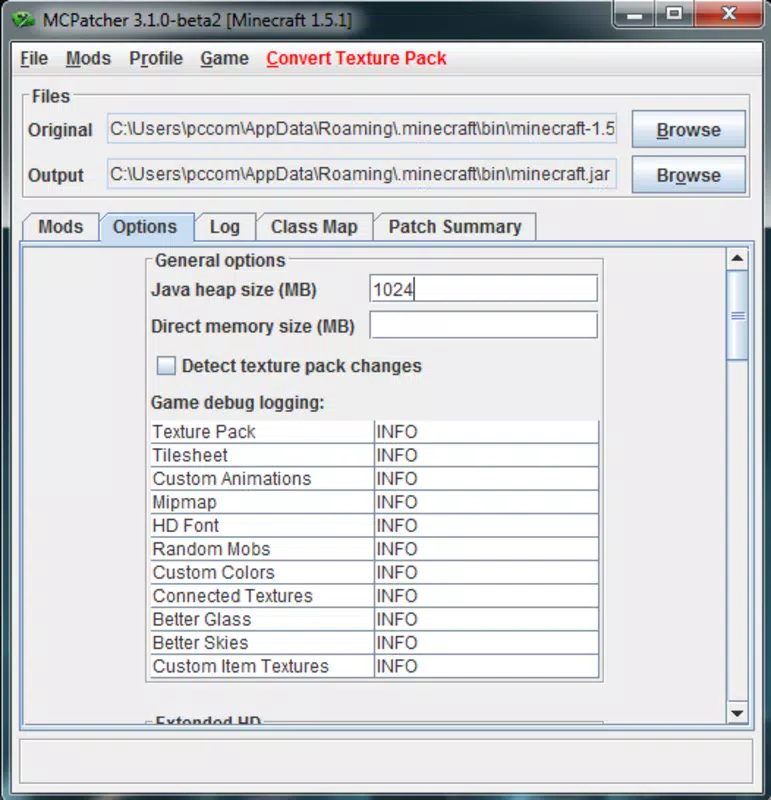
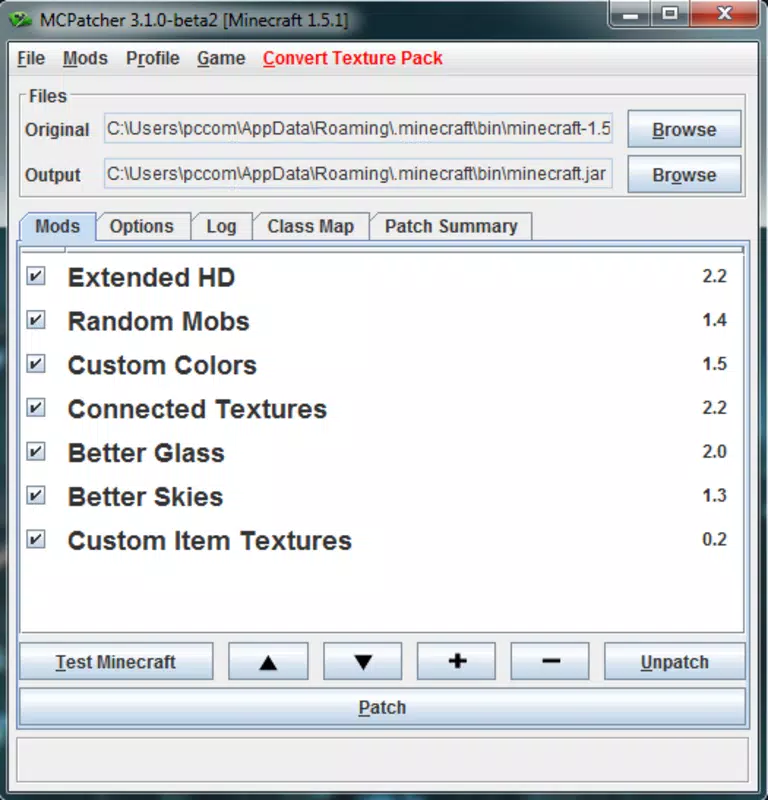
- Accessible Interface – The graphical interface is designed to be intuitive, allowing users to navigate through mod, patch, and texture pack options with minimal learning curve. This simplifies the often technical process of game customization for non-expert users.
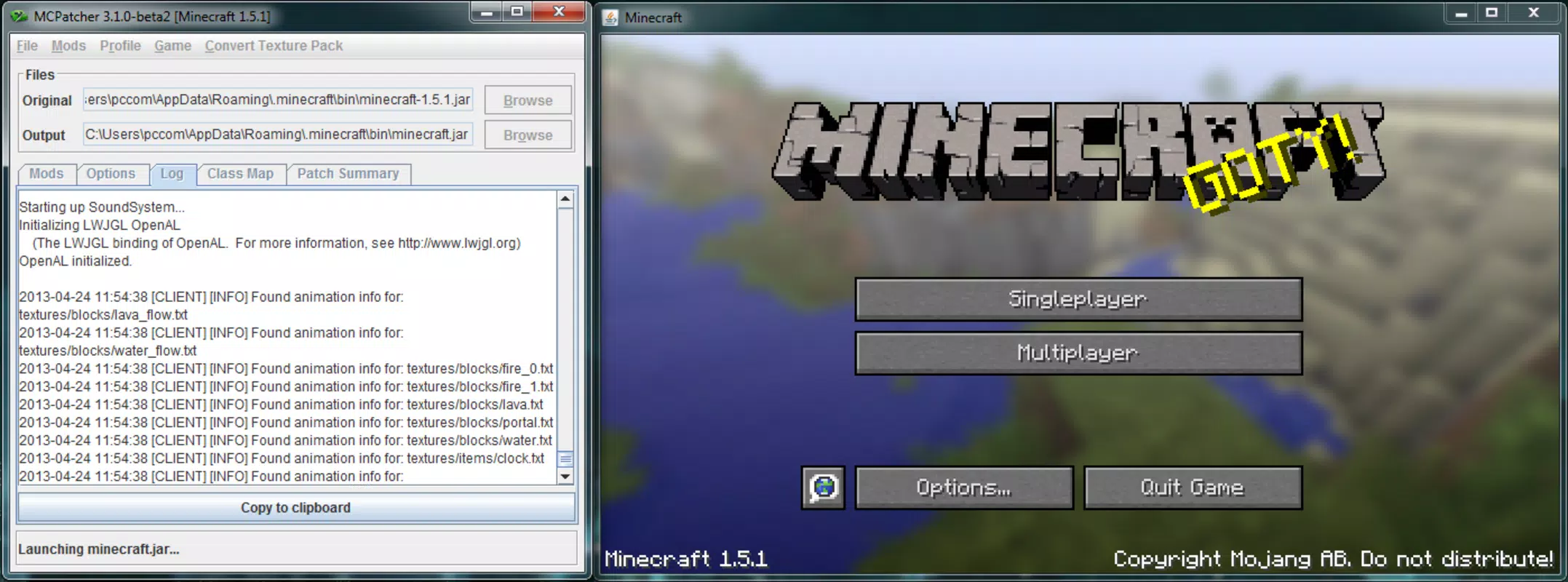
- In-App Game Launching – A standout feature is the ability to launch Minecraft directly from within MCPatcher. This allows players to instantly verify changes made to the game, such as texture pack application or mod integration, ensuring real-time feedback on their modifications.
- Integrated Texture Package Converter – This functionality enables users to convert older texture packs for use with newer versions of Minecraft. This is particularly valuable as the game evolves, helping players preserve their favorite visual content across updates.
- Helpful Tutorial Resources – The developer maintains a forum with comprehensive guides covering the application’s core features. These resources support users in mastering MCPatcher’s capabilities, reducing the risk of misconfiguration or errors during setup.
For example, a player looking to update a 1.7.10 texture pack for use in 1.12.2 can use the built-in converter to avoid compatibility issues. Similarly, a modder can apply a visual patch, launch the game via MCPatcher, and immediately assess the impact of changes—streamlining the testing and iteration process.
Interface, UX & Performance
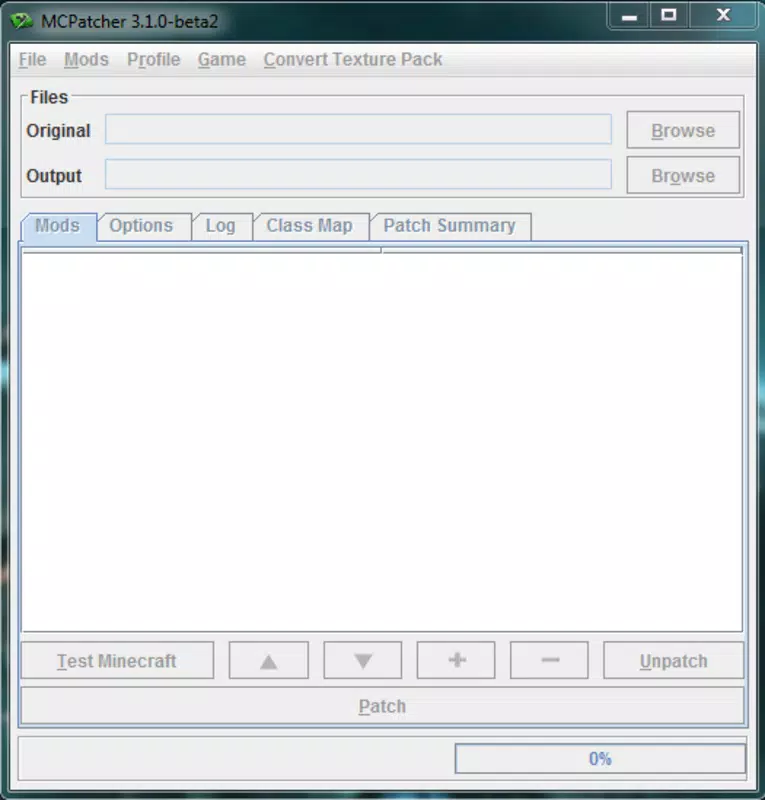
The user interface of MCPatcher is described as straightforward and focused on core functionality. It features a clean layout with clearly labeled options for patching, texture management, and game launching. Navigation is linear and predictable, with minimal distractions, allowing users to complete tasks efficiently.
Visual style remains consistent with early 2010s desktop utility design—functional rather than visually modern. While this may appear dated by today’s standards, it contributes to the app’s stability and low resource usage. The interface prioritizes usability over aesthetics, ensuring that users can focus on modding tasks without interface clutter.
Performance is optimized for lightweight operation. The application is only 1.3 MB in size, indicating minimal system impact. Although the developer did not list formal performance metrics, its small footprint suggests it runs smoothly on older or low-end systems. Responsiveness is maintained during file operations such as patching and conversion, with no reported lag or crashes in documented use cases.
Stability is a key strength, particularly given the app’s long-standing presence. Users can expect consistent behavior across multiple sessions, with reliable execution of core functions. However, as no formal testing data was provided, performance on modern hardware or under high load conditions remains unverified.
Platform Compatibility & Technical Requirements
MCPatcher is available for Windows, making it accessible to a broad segment of Minecraft players using PC platforms. The app requires a Windows operating system, though specific version requirements were not listed. Given its release date of August 22, 2011, it is likely compatible with Windows XP and later versions, though users should verify system compatibility.
The application size is 1.3 MB, indicating a minimal download and installation footprint. This small file size reflects its focused functionality and lack of bloat. No additional dependencies or runtime environments were mentioned, suggesting it can run as a standalone executable.
Although the developer did not specify minimum OS requirements or hardware specifications, the lightweight nature of the app implies broad compatibility across older and newer Windows systems. Users should ensure they have administrative access to modify game files, as MCPatcher requires access to the Minecraft .Jar file and resource directories.
Pros and Cons
Pros
- Free to download and use with no in-app purchases
- Lightweight design with minimal system resource usage
- Integrated texture pack converter for cross-version compatibility
- Direct in-app game launching for instant testing
- Clear, user-friendly interface suitable for beginners
Cons
- No official support for macOS or Linux platforms
- Outdated visual design may feel unfamiliar to modern users
- Development has not been updated since 2011; no recent patches or improvements
- Limited documentation beyond the developer’s forum
- Requires manual configuration of Minecraft .Jar file path
FAQ
Is MCPatcher safe to download and use?
Yes, MCPatcher is a free utility developed by Jason K. Menard. It does not contain malware or intrusive ads. However, users should always download it from trusted sources to avoid modified or compromised versions.
Can I use MCPatcher with the latest version of Minecraft?
MCPatcher was released in 2011 and does not officially support newer Minecraft versions. While it may function with older versions, compatibility with current releases is not guaranteed.
Do I need to install Minecraft to use MCPatcher?
Yes, MCPatcher requires a working installation of Minecraft on your PC. It operates by modifying the game’s .Jar file and does not include a standalone game client.
Is MCPatcher available for Android or iOS?
No, MCPatcher is designed exclusively for Windows and is not available on mobile platforms.
How do I update MCPatcher?
As of the current release, no updates have been issued since 2011. The developer has not announced any future updates or new versions.
Final Thoughts
MCPatcher remains a valuable tool for Minecraft players seeking a simple, no-frills solution for mod and texture pack management. Its lightweight design, intuitive interface, and built-in converter make it a practical choice for users working with older Minecraft versions. While its age and lack of updates are notable limitations, the app continues to serve a specific niche in the modding community.
It is best suited for players who value simplicity, control, and direct access to game customization without the overhead of complex mod loaders. For those still using legacy Minecraft versions or maintaining classic texture packs, MCPatcher offers a reliable and secure way to enhance gameplay.
Despite its outdated appearance and platform restrictions, its core functionality remains effective. If you're a Minecraft enthusiast looking to customize your experience on Windows with minimal fuss, MCPatcher delivers real value.
Download MCPatcher now


